
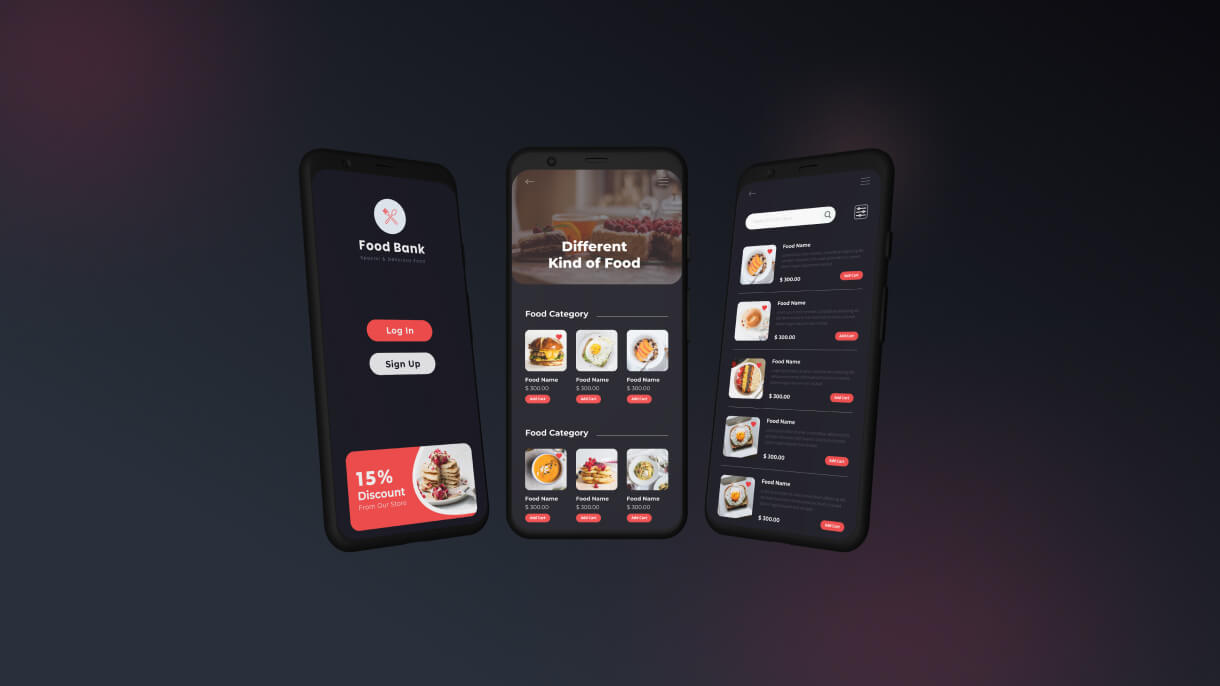
Food Delivery Template and WordPress Plugin
That’s great! Converting a Figma design into a Food Delivery HTML template involves careful attention to detail and functionality. Here’s a comprehensive guide to ensure your template is top-notch:
- Client Sazzad Hossain
- Date 2022
- Services Web Design
- Budget 10000 BDT
Key Features for a Food Delivery HTML Template
Responsive Design:
-
- Ensure the template is fully responsive, working seamlessly across all devices, including mobile phones, tablets, and desktops.
- Test the template on different browsers and devices to ensure compatibility.
User-Friendly Navigation:
-
- Implement a clear and intuitive navigation structure.
- Include a sticky navigation bar for easy access to essential sections and features.
Search Functionality:
-
- Integrate a powerful search bar that allows users to find restaurants, dishes, or cuisines easily.
- Consider adding filtering options for better user experience.
Menu Display:
-
- Design an attractive and organized menu display for each restaurant.
- Allow users to view detailed descriptions, prices, and images of dishes.
Ordering System:
-
- Implement an easy-to-use ordering system with a clear call-to-action buttons.
- Include features for customizing orders, adding special instructions, and selecting delivery or pickup options.
Cart and Checkout:
-
- Design a user-friendly cart and checkout process.
- Ensure the checkout process is secure and supports multiple payment options.
User Accounts and Profiles:
-
- Allow users to create accounts and manage their profiles.
- Include features for order history, favorite restaurants, and saved addresses.
Delivery Tracking:
-
- Implement a real-time delivery tracking feature.
- Provide updates on order status and estimated delivery time.
Promotions and Discounts:
-
- Include sections for promotions, discounts, and special offers.
- Design coupon code functionality for users to apply discounts at checkout.
Ensuring Quality
Clean and Well-Documented Code:
-
- Write clean, modular, and well-documented HTML, CSS, and JavaScript.
- Follow best practices for coding, such as proper indentation and commenting.
SEO-Friendly Structure:
-
- Use semantic HTML tags to improve SEO.
- Optimize images and media files for faster loading times.
Performance Optimization:
-
- Minimize and compress CSS, JavaScript, and images.
- Implement lazy loading for images and videos to improve page speed.
Accessibility:
-
- Ensure the template is accessible to all users, including those with disabilities.
- Follow WCAG guidelines for accessibility, including keyboard navigation and screen reader compatibility.
Documentation and Support
Comprehensive Documentation:
-
- Provide detailed documentation to help users set up and customize the template.
- Include instructions for installing the template, customizing features, and troubleshooting common issues.
Customer Support:
-
- Offer excellent customer support to address user inquiries and issues.
- Consider setting up a support system through email, forums, or a dedicated support portal.
Marketing and Distribution
ThemeForest Requirements:
-
- Ensure the template meets all of ThemeForest’s submission requirements.
- Review their guidelines on quality, documentation, and support expectations.
Promotion on SolverWP:
-
- Highlight the template on SolverWP with detailed descriptions, feature lists, and high-quality screenshots.
- Use SEO techniques to attract organic traffic to the listing.
Social Media and Email Campaigns:
-
- Promote the template through social media channels and email campaigns.
- Highlight key features and benefits to attract potential buyers.
By focusing on these aspects, your Food Delivery HTML template will not only look great but also function seamlessly, providing an excellent user experience. This approach will help your client successfully market and sell the template on both ThemeForest and SolverWP.